


Some links in this article are affiliate links. If you buy through them, we may earn a commission at no extra cost to you.
It is a work morning, you press the power button, and nothing happens. A dead scooter is usually asleep, not dead — and the ten minutes that wake it cost nothing. Three things cause it, and all three look the same from the outside — which is why the order of the checks matters.
In this guide
- The short answer
- First, read the symptom — it points somewhere different
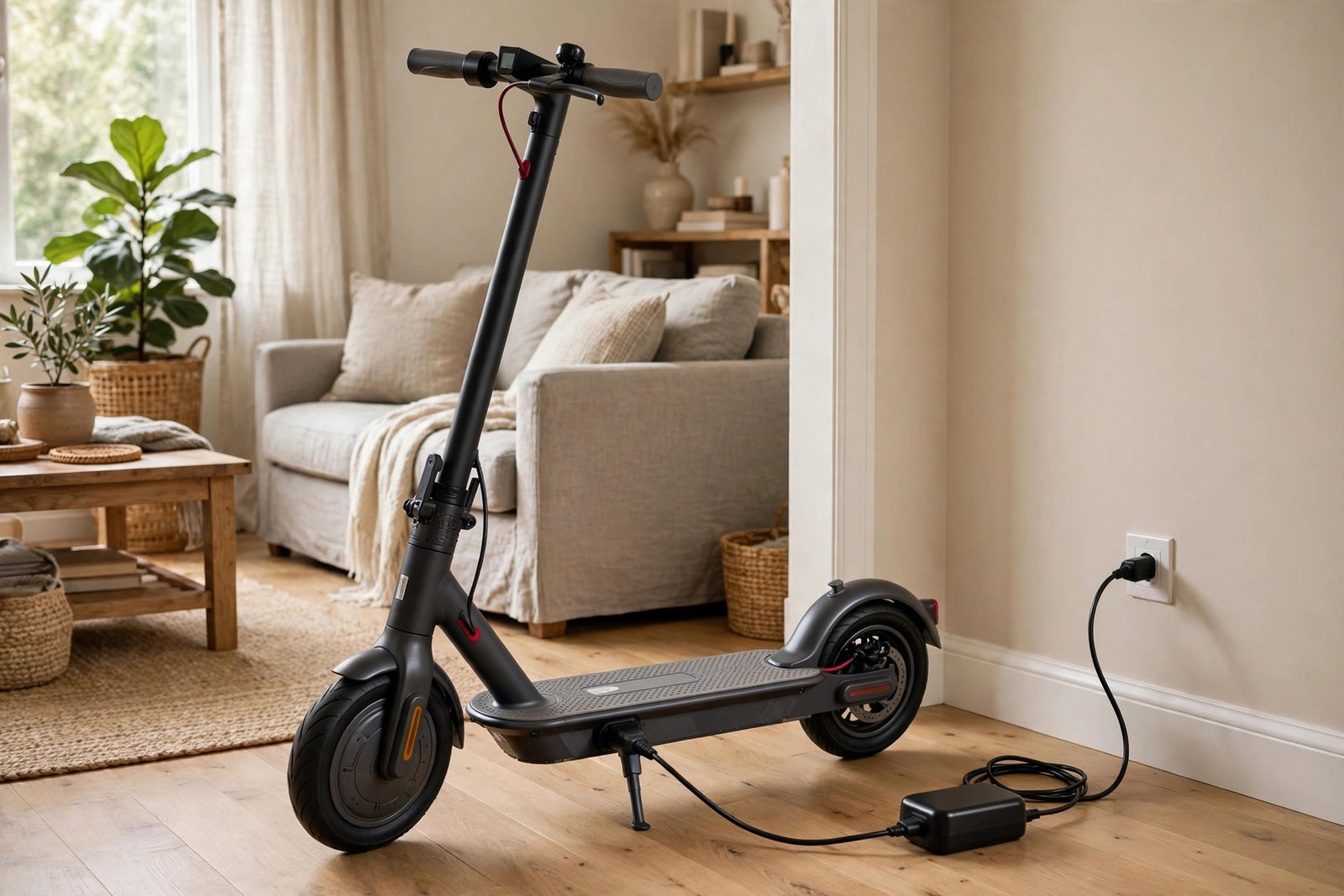
- Check 1: the long charge — plug it in and leave it
- Check 2: the charger — plug it into the wall alone
- Check 3: the charging port — bent or dirty connectors fake a dead battery
- Check 4: the button — hold it firmly for seconds, not a tap
- Check 5: the brake lever, the kickstand, and the kick
- Check 6: the error code and the app
- The multimeter check — the charger only, never the pack
- The stop line — when the shop takes over
- The apartment rule — ten minutes, no tools, nothing opened
- Related reading
- The bottom line
The short answer
Plug it in and leave it alone for hours, even if nothing lights up. A scooter that has sat unused has usually put its battery to sleep to protect it, and only a long, slow charge wakes it. If the charger shows no light plugged into the wall alone, the charger is dead and the scooter may be fine.
First, read the symptom — it points somewhere different
Dead screen, screen-but-no-motor, turns on then dies, error code, burning smell — each of these points somewhere different, and the symptom decides which check matters. Spend thirty seconds on this before you touch anything.
| Symptom | What it usually means | Start here |
|---|---|---|
| Nothing at all — no screen, no light, no beep | Battery asleep, charger dead, or a dead battery | The long charge |
| Screen lights up but the motor will not run | Kick-to-start, brake lever, or throttle | The brake lever and the kick |
| Turns on, then dies after a few seconds | Battery too low to hold a charge | The long charge, then the stop line |
| Error code on the screen | The scooter is telling you the fault | The error code and the app |
| Burning smell or a hot deck | Stop — do not charge it, do not ride it | The stop line |
The burning smell is the only symptom with no checklist. If you smell burning or the deck is hot to the touch, unplug the charger, move the scooter away from anything flammable, and call the shop. Everything below is for a scooter that is cold, quiet, and smells of nothing.
Check 1: the long charge — plug it in and leave it
Plug the scooter in and leave it for hours, even if nothing lights up. This is the check that fixes most dead scooters, and the one most owners give up on too early. The battery management system — the BMS — shuts everything down when the charge drops too low, and a sleeping battery shows nothing at all while it wakes up. The charger has to push the voltage back above the safety cutoff before anything wakes. An hour is not enough; think in hours, and leave it overnight if you can.
The rule is different per scooter, and our five examples show why the manual matters. The Segway Ninebot MAX G3 puts its battery to sleep when the charge falls below 30 percent and the scooter is not used for seven days — its manual says so, and it says a three-second charge wakes it. Seven days at low charge is all it takes.
The Segway Ninebot MAX G2 is the deeper case: its BMS drops into a deep sleep when the voltage falls too low, and owners report it needs six to twelve hours on the charger before it wakes. Its charger light tells the story — red means charging, green means not charging yet — so a green light on a dead scooter is a scooter still asleep, not a verdict.
The Hiboy scooters carry a warning the Segways do not. The Hiboy S2 MAX manual says its intelligent battery management system protects against under-voltage — and that damage from a long period without charging is irreversible. Its rule: fully charge before leaving it idle for more than thirty days, and recharge it every sixty days. The Hiboy S2 Pro is the same family, the same rule. A scooter left at zero for six months is often beyond saving, and the long charge is the test that tells you — if nothing changes after a full night on the charger, the pack is the problem, not the charger.
The Segway Ninebot E2 Pro has no sleep-mode clause in its manual, so it gets the general rule, not a model-specific promise. Leave it on the charger for hours the same way: a scooter that wakes up was asleep, and one that does not was never asleep.
Check 2: the charger — plug it into the wall alone
If the long charge changed nothing, test the charger before you blame the scooter. The charger fails more often than the pack — and a dead charger looks exactly like a dead battery. Plug the charger into the wall on its own, with nothing attached to it, and look at its light.
A working charger lights up when it is plugged into the wall alone. If its light stays dark with no scooter attached, the charger is dead and the scooter may be fine — you need a new charger, not a new scooter. Try a different wall outlet first, because a dead outlet fakes a dead charger just as easily. If the light comes on alone but goes dark when you plug it into the scooter, the fault is inside the scooter — a shop job, not a hallway job.
Two of our five scooters do not have a separate charger at all. The MAX G2 and the MAX G3 have their chargers built in — 121.8W on the G2, 209W on the G3 — and they charge with just a cord, no brick. For those two, there is no brick to test: plug the cord into the wall, plug it into the scooter, and watch the dashboard and the charge light instead. The wall-alone test only works on scooters with an external brick, which is the E2 Pro, the S2 Pro, and the S2 MAX. Use the charger that came with the scooter — a wrong-voltage charger can damage the battery.
Check 3: the charging port — bent or dirty connectors fake a dead battery
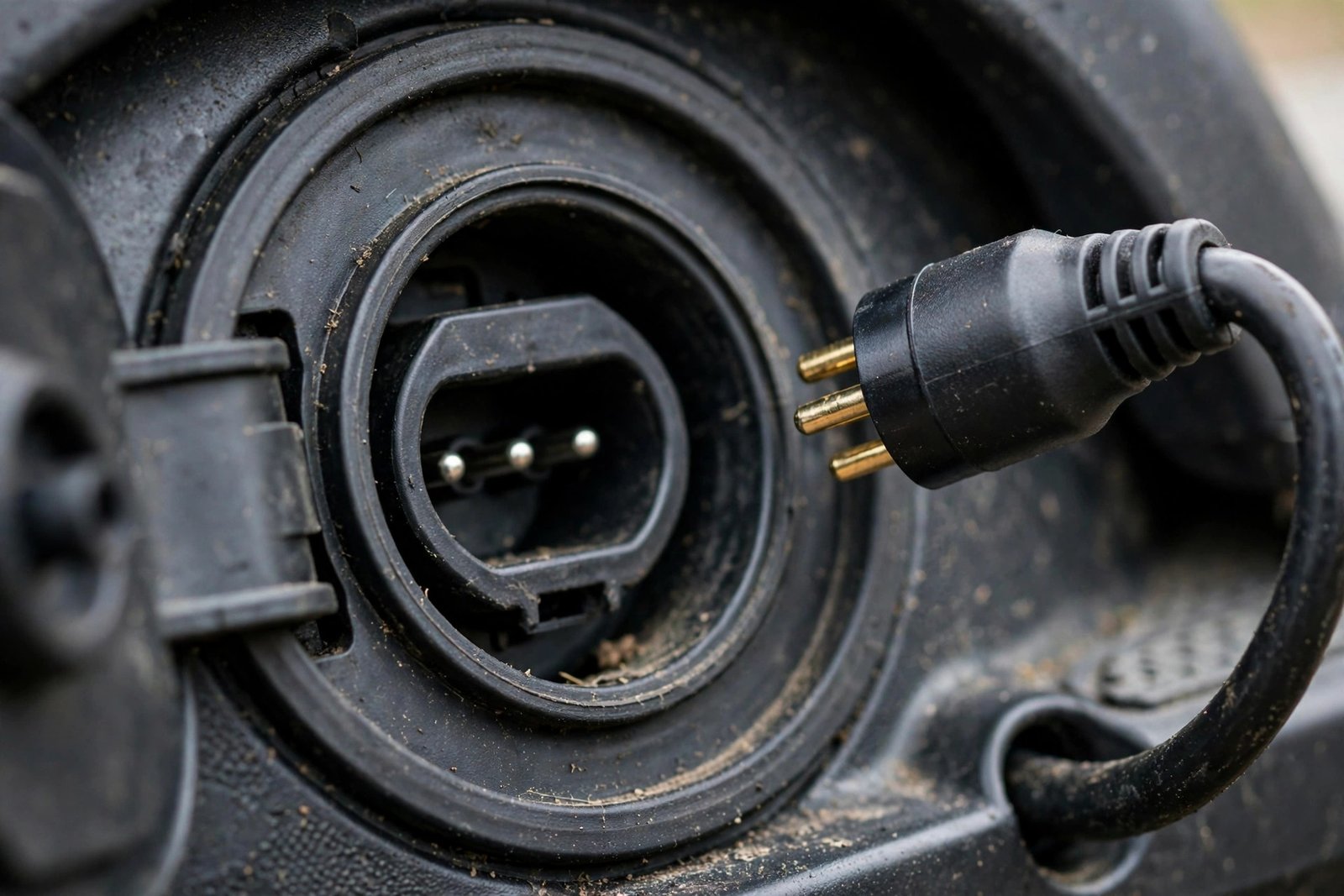
Look inside the charging port before you buy anything. A bent pin or dirt in the port stops the charger connecting at all — which looks exactly like a dead battery. Open the rubber flap, look in with a light, and check the pins are straight and the port is clean. Blow the dust out gently, and wipe the rim with a dry cloth.
Never poke a pin back with a metal tool, and never charge through a wet port — either can short. If a pin is visibly bent or the port is loose in its housing, that is a repair, not a clean — take it to the shop. Check the cable too: a plug that only works when you hold it at an angle is a broken cable, not a broken scooter.
Check 4: the button — hold it firmly for seconds, not a tap
Press the power button firmly and hold it for several seconds — do not tap it. A quick tap is the most common reason a working scooter stays off. Hold it for three to five seconds, watch the screen, and only then let go.
The manuals agree on the hold, and they differ on the details. On the E2 Pro, a press powers the scooter on and a two-second hold powers it off. On the S2 MAX, a press turns it on and a three-second hold turns it off. On the MAX G2, owners report that holding the power button for fifteen to twenty seconds performs a hard reset — you may hear a click or see the dashboard flicker — and that is the move to try when a normal hold does nothing.

Check 5: the brake lever, the kickstand, and the kick
If the screen lights up but the motor will not run, the scooter is refusing to move, and the refusal has a reason. The brake lever, the kickstand, and the kick take a minute between them.
Squeeze the brake lever and check it springs back fully. The brake lever tells the controller the brake is on, and the controller cuts the motor while the brake is on — that is how it is supposed to work. If the lever is stuck half-in, or its cable is jammed, the controller thinks you are braking and will not let the motor run. This is a general mechanism on scooters, not a named switch on any one model — no manual for our five scooters names a brake-lever startup switch, so check the lever, not a feature the manual does not promise.
Fold the kickstand fully up. The manuals tell you to ride with the kickstand tucked in — a half-down stand can catch the moment the scooter moves. Then kick: every one of these scooters needs a push before the motor engages — a safety feature, not a fault. On the Segways, the motor engages at 3 km/h; on the Hiboys, at 3.1 mph. Stand on the deck with one foot, push off with the other until you are gliding, and only then press the throttle.
If the screen is on, the kick is right, and the throttle still does nothing, the throttle is the suspect — on the S2 Pro, owners report a dislodged throttle magnet as a known cause. That is a shop fix, and the point where the checklist ends.
Check 6: the error code and the app
If the screen shows an error code, the scooter is telling you the fault — read it first. The E2 Pro manual says to check the error code through the Segway-Ninebot app, and the app gives the cause the screen only hints at. Connect the scooter to the app, read the code, and follow what it says — and update the firmware while you are there.
A temperature warning is the one to take seriously. The E2 Pro manual says the scooter cannot accelerate or charge when the battery, controller, or motor is too hot or too cold — do not use it until the temperature is back in range. Let a hot scooter cool indoors and a cold scooter warm indoors, and try again when it is at room temperature. The Hiboy manual agrees in its own way: a scooter that has been ridden hard can overheat and shut down as a safety measure, and cooling down is the fix.
The multimeter check — the charger only, never the pack
If you own a multimeter, there is exactly one measurement this checklist allows: the charger’s output voltage. Nothing else. The AstroAI Digital Multimeter is the tool for it, and the rule is simple — charger only, never the pack, never the deck.
Unplug the charger from the scooter, plug it into the wall, and measure the voltage at the charger’s plug. For a 36V system — the E2 Pro and the S2 Pro — the charger should read about 42V. For a 48V system — the S2 MAX, whose manual gives a maximum input voltage of 54.6V — the charger should read about 54.6V. Zero means the charger is dead; the right voltage means the fault is inside the scooter. Never open the deck to test the pack — the battery inside is live even when the scooter is off, and opening the deck voids the warranty.
The stop line — when the shop takes over
Burning smell, hot casing, or a pack that will not hold a charge after the long charge — the shop, not the hallway. Those three are the stop line, and there is no fourth check after them. A scooter that turns on while plugged in and dies when you unplug it has a battery that will not hold a charge, and no charging fixes that.
Tell the shop what you already checked. “It sat for two months, I charged it overnight, the charger light is green, the port is clean, and it still shows nothing” is a diagnosis the shop can work with. “It won’t turn on” is not. Do not ride a scooter that has just been woken from a deep sleep without a test — ride it around the block first, at low speed, and check that the battery holds its charge and the brakes work.
The apartment rule — ten minutes, no tools, nothing opened
The ten-minute checklist uses no tools and opens nothing. The deck stays shut, and the only things you touch are the button, the charger, the port, the brake lever, and the kickstand. That is the whole checklist, and that is the point of it.
The battery inside the deck is live even when the scooter is off. Opening the deck voids the warranty on the spot, and a scooter battery stores enough energy to start a fire if it is shorted or punctured. The guides that tell you to disconnect the battery under the deck, test the pack with a meter, or boost it with a bench charger are written for repairers, not for a hallway. The wispeed rule is the article’s spine: do not take the scooter apart yourself, and the moment a repair means opening the vehicle, stop and take it to an approved repairer.
Related reading
- My E-Bike Won’t Turn On (or Won’t Charge)? The 10-Minute Checklist Before You Call the Shop
- Electric Scooter Maintenance: The Owner’s Checklist (Weekly, Monthly, Seasonal)
- How Long Does an E-Bike Battery Last? (and How to Make Yours Last Longer)
The bottom line
A dead scooter is usually asleep, not dead — and the ten minutes that wake it cost nothing. Plug it in and leave it, test the charger alone, look in the port, hold the button, and kick it up to speed. Do those things, in that order, and most dead scooters wake up before the shop opens. And when they do not — burning smell, hot casing, a pack that will not hold a charge — the shop takes over, and the ten minutes you spent are the reason it starts at the right place.
Previous: What Wattage E-Bike Do I Need? (250W vs 500W vs 750W vs 1000W)
Next: Article #89 — Can You Take an Electric Scooter on a Plane? (The Battery Rules That Decide It)


